
The Best
Top 7 Best Tablets with OLED Display | 2024 Edition
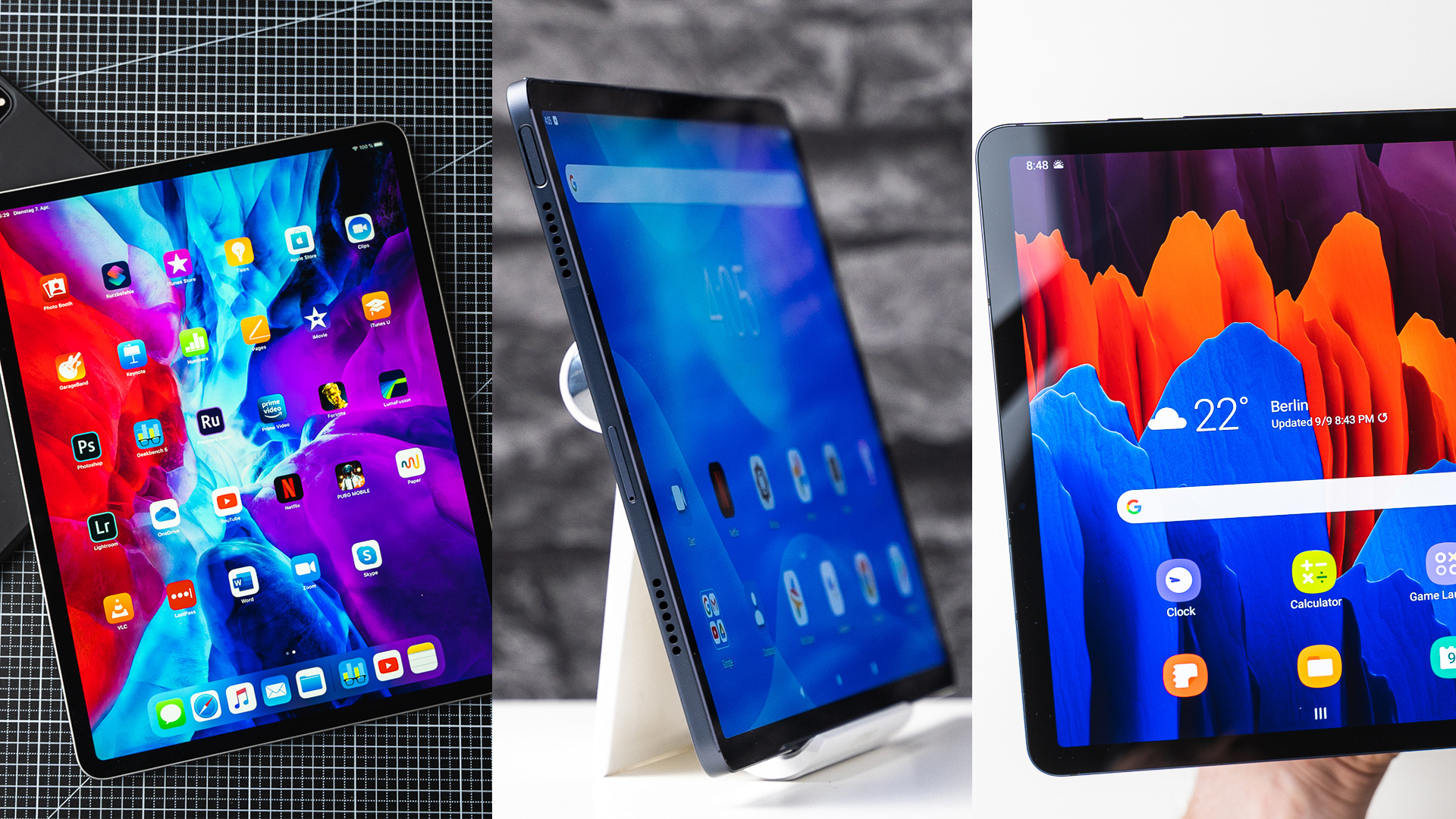
Are you looking for a good tablet with an OLED display? We have tested all current models from Samsung, Apple, and Lenovo.

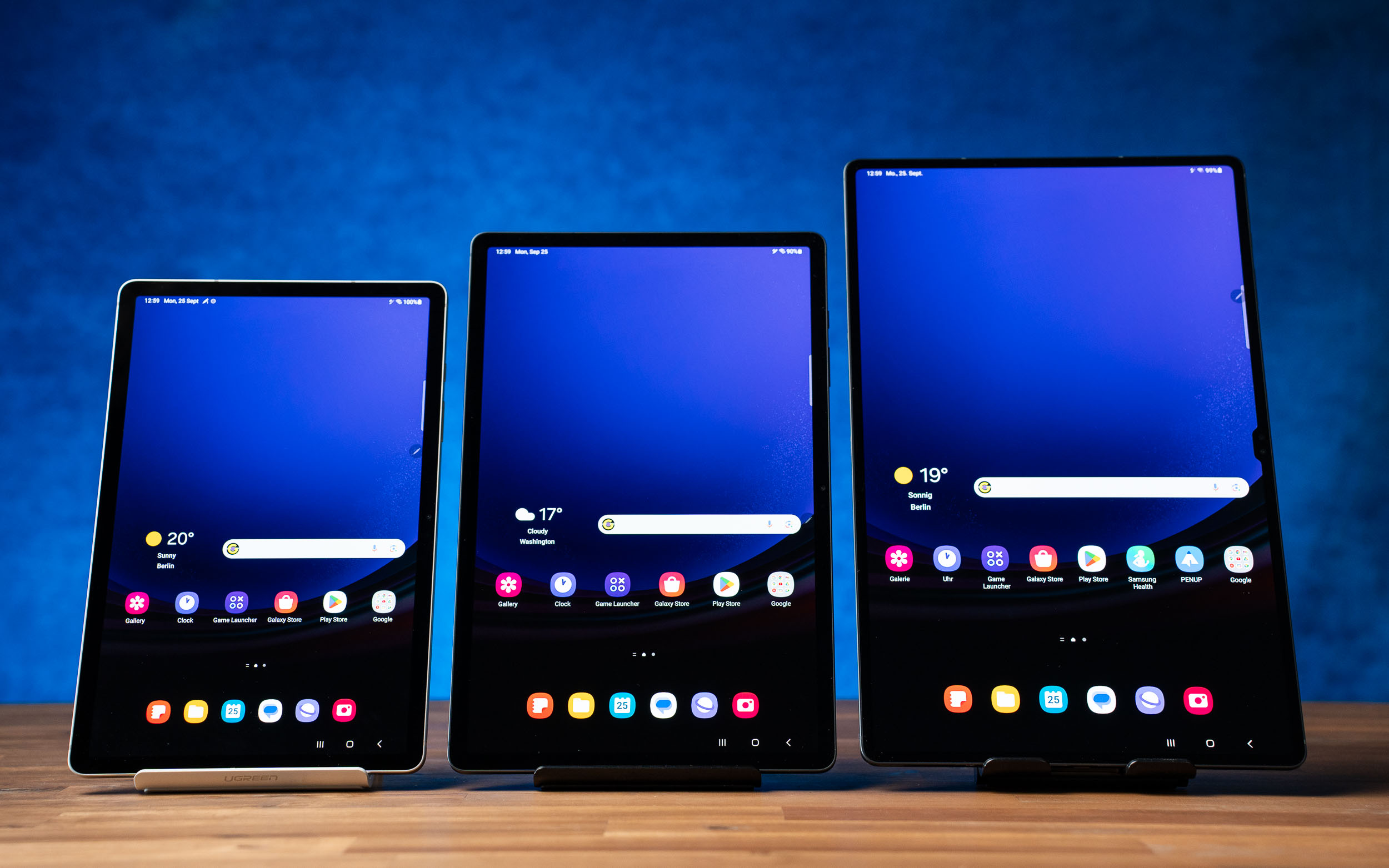
The most important feature of a tablet is its screen – that’s what you’re looking at all the time. There are many different display technologies on the market: While inexpensive tablets are usually equipped with a conventional LCD display, premium devices use screens with (AM)OLED or mini-LED.
Most conventional tablets use LCDs, which have a limited color palette and lower energy efficiency due to their backlighting. (AM)OLED and mini-LED displays offer more vivid colors, deeper black levels, and higher contrast. In addition, the screens of premium tablets are higher resolution and often offer a higher refresh rate of up to 120Hz. Because the image repeats up to 120 times per second, animations and scrolling on the screen look smoother, and working with a stylus also feels smoother.
The top devices also support HDR content, which means corresponding videos on Netflix and YouTube have more dynamic range and a higher color depth. Well, we’ve been reviewing tablets since 2008 and that also includes all the premium devices you can think of. Here are our recommendations of the best tablets with an OLED display.
Best Tablets with OLED Display: An Overview
Here’s a quick overview. Further down you’ll find more details and included are our full reviews of each device.
- Best tablet with mini-LED: Apple iPad Pro 12.9″ (on Amazon*): In terms of display, performance, app variety, and build quality, the Apple iPad Pro with an M2 chip is hard to beat. The tablet offers a high-quality mini-LED screen with a resolution of 2048 x 2732 pixels, 120Hz, great contrasts, vibrant colors, and super brightness. Thanks to its great performance, it masters even the most demanding tasks. The Apple Pencil 2 and optional keyboard covers are excellent accessories. Additionally, Apple’s software philosophy is impressive and ensures longevity for the device.
- The best tablets with an OLED display: Samsung Galaxy Tab S9, S9+ and S9 Ultra (on Amazon*). The Samsung Galaxy Tab S9+ offers a Dynamic AMOLED display with 12.4 inches and a resolution of 2800 x 1752 pixels. The S9 Ultra has a big 14.6-inch screen diagonal and offers a resolution of 2960 x 1848 pixels with 120 Hz. The tablet displays with 16:10 aspect ratio are currently the best on the market and look great. What’s more? They also boast an IP68 rating for protection against water. Unlike Apple, Samsung includes a high-quality S Pen stylus out-of-the-box, which is a great feature. Additionally, the keyboard covers available for tablets are also great. Samsung promises that the devices will receive around 4 major software upgrades, so you’re covered until Android 17.
- Best Samsung alternative: Lenovo Tab P12 Pro (on Amazon*). The Lenovo Tab P12 Pro is a good alternative to the Samsung tablet, as it is slightly less expensive but still impressive. It features a stylish 12.6-inch AMOLED display with a resolution of 2560 x 1600 pixels and 120Hz, along with sufficient performance, good battery life, and a top-notch build. Additionally, it comes with a stylus and an optional keyboard cover. The only potential downside is uncertainty regarding the number of software updates it will receive.
- Best OLED tablet for under $300: Lenovo Tab P11 Pro Gen 2 (on Amazon*). You can buy the Lenovo Tab P11 Pro Gen 2 for under $300, and it comes equipped with a high-quality 11.2-inch OLED display featuring 120Hz and a resolution of 2560 x 1536 pixels. The tablet is also top of the line as it offers a generous 8GB of RAM and 256GB of storage for this price. Additionally, the tablet delivers excellent performance.
Best Tablets with OLED: All Details
Let’s check them out in more detail.
Apple iPad Pro 12.9 inch: Best tablet with mini-LED
Equipped with a high-quality mini-LED display of 12.9 inches and a resolution of 2732 x 2048 pixels at 264 ppi as well as a refresh rate of 120Hz, the Apple iPad Pro convinces an impressive visual experience. The display’s mini-LED technology enables high contrast, vivid color reproduction, and deep black levels comparable to OLED displays.
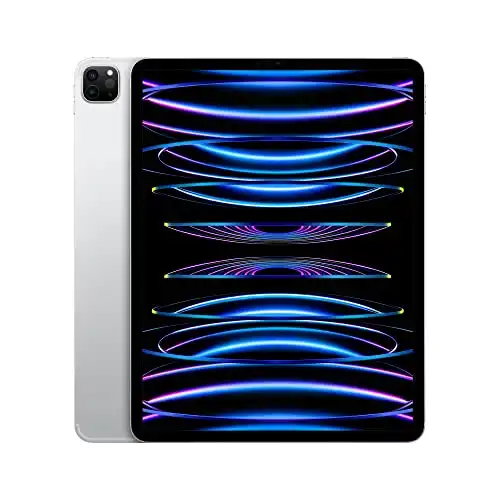
The Apple iPad Pro 12.9-inch is the best 12-inch tablet on the market today. It features a super-fast Apple M2 chipset and has a very pretty Liquid XDR display with deep blacks. You can get it with the Apple Pencil 2 and an Magic Keyboard.
The device’s display features a maximum SDR brightness of 600 nits and reaches an impressive peak brightness of up to 1,600 nits for HDR content thanks to the mini-LED technology. In addition, the display is fully laminated.
It’s worth noting that only the 12.9-inch iPad Pro has advanced mini-LED technology while the smaller 11-inch iPad Pro has a conventional LCD screen which is not as bright and doesn’t offer the same contrast and black levels. Nonetheless, it is still a good screen.
The sound quality of the Apple iPad Pro is excellent and it has four speakers. According to our battery test, the device can run for 6 hours when playing an HD YouTube video continuously at full brightness. However, if the brightness is lowered, the battery may last even longer. The iPad Pro is available as an optional 5G version and has Wi-Fi 6E.
With the powerful M2 chip, which is also integrated in the current Apple MacBook Pros, the Apple iPad Pros are currently the most powerful tablets on the market. This chip offers enough computing power to use hardware-hungry games and demanding apps like the editing program Davinci Resolve in the coming years.
Read: Apple iPad Pro 11″ vs 12.9″ Comparison: What’s The Difference?
Furthermore, while we value the quality of the Apple Pencil 2, it must be bought separately and is not reasonably priced at $90. On the other hand, the keyboard covers offered as optional accessories are exceptional for typing. We also admire the excellent build, Face ID, superior cameras, and LIDAR sensor.
The Apple iPad Pro with 12.9 inches is the premium choice if you are looking for a tablet with a large and fantastic display as well as the best computing power on the market.
Samsung Galaxy Tab S9 Series: The best tablets with OLED displays
If you’re into big, fancy displays, you’ll find great favor in the Samsung Galaxy Tab S9 series.
The Galaxy Tab S9, S9+ and Galaxy Tab S9 Ultra feature large, high-quality Dynamic AMOLED displays with a refresh rate of 120 Hz that deliver great contrast, color, and deep black levels.
The Galaxy Tab S9+ has a resolution of 2960 × 1440 pixels, while the Galaxy Tab S9 Ultra offers a resolution of 2960 x 1848 pixels. Both tablets are fully laminated and have the best displays on the market.
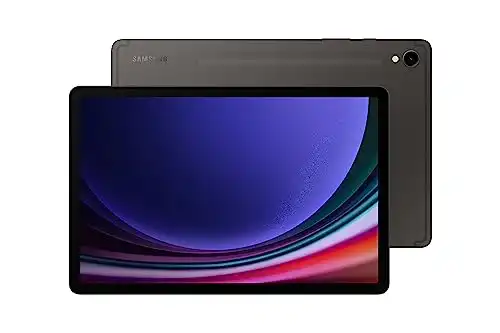
The Samsung Galaxy Tab S9, S9+ and S9 Ultra are the best Android tablets on the market. We get a powerful processor, really pretty AMOLED displays, the S Pen is included and it gets updates up to Android 17. We get good speakers, fingerprint readers, optional keyboard covers and much more - really great!
The four integrated stereo speakers add to the pleasure of consuming media on both devices. They both have a Widevine level of L1, which enables you to enjoy streaming services such as Netflix in 1080p. Additionally, the S9+ and S9 Ultra support HDR 10.
The tablets feature Wi-Fi 6E and there is an optional 5G version. During our battery test, both the Galaxy Tab S9+ and S9 Ultra achieved active runtime of up to 11 hours each. We tested this by playing an HD YouTube video on a continuous loop at full brightness.
One of the other standout features relating to the display is the IP68 rating on Galaxy Tab S9+ and S9 Ultra. First ever for Samsung’s flagship S-series. This means that the Tab S9 series tablets can survive exposure to water for up to 30 minutes. Of course, this does not mean that you go around and just throw it in a pool for 30 minutes. What this actually means is that if by chance your Tab S9+ or Ultra falls into the pool or has an accidental spill then you don’t have to panic as the tablet won’t be harmed completely. But still, we implore you to practice caution because you don’t know what degree of liquid exposure could harm a device with iP68.
Besides, what we appreciate in both devices are the fingerprint scanner, the good cameras, the sturdy build, and the powerful hardware that surpasses all other Android tablets.
It’s great that the tablet comes with a high-quality S Pen, and there’s also the option of purchasing a keyboard cover. The tablet runs on Android and is expected to receive four major Android upgrades, along with five years of security updates.
If you want a tablet with the best display on the market, you are golden with the Samsung Galaxy Tab S9+ Galaxy Tab S9 Ultra.
Read: The Best Tablets For Playing Roblox
Lenovo Tab P12 Pro: Best Samsung alternative
The Lenovo Tab P12 Pro is a cheaper and good alternative to the Samsung Galaxy Tab S8 series. It features a great 12.6-inch AMOLED display that is fully laminated and supports a 120Hz refresh rate. The build quality of the Lenovo Tab P12 Pro is on the same high level as Apple and Samsung.
The tablet offers a resolution of 2560 x 1600 pixels and very good contrast, color, and black values. Furthermore, it is suitable for HDR content and allows streaming from Netflix and other providers in HD.
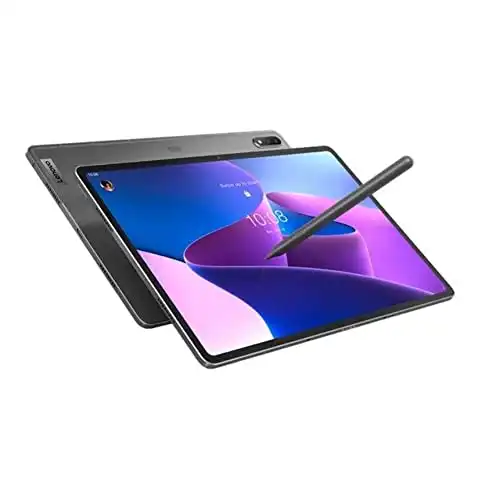
The Lenovo Tab P12 Pro is a high-end Android tablet with a great design, a pretty 12.6-inch AMOLED screen, and a powerful Snapdragon 870 processor. We get cool features like the Precision Pen 3 and the keyboard cover which can be used separate from the tablet. While it's cheaper, it can't reach Samsung and Apple in all aspects.
The sound quality of the four speakers in the Lenovo Tab P12 Pro is on par with Samsung’s Galaxy Tab S8+. Additionally, the tablet comes with the included high-quality Lenovo Precision Pen 3. For users who want a keyboard, Lenovo offers an official keyboard cover for the Tab P12 Pro, which costs around $90. The keyboard can be magnetically attached to the tablet and used independently.
A fingerprint scanner is integrated into the tablet’s power button. It works quickly and reliably. Beyond that, Lenovo’s Tab P12 Pro has a microSD card slot and a USB C 3.1 Gen 2 port. An external monitor can be connected there, for example.
The Lenovo Tab P12 Pro has a useful feature where it can be used as an additional monitor for your laptop through an app, and the touchscreen will still function. During our battery test, the device lasted an impressive 11 hours while continuously playing an HD YouTube video at maximum brightness.
Read: The Best Android Tablets With The Longest Battery Life
The Lenovo Tab P12 Pro ranks high among Android tablets even though its performance is slightly below the Samsung Galaxy Tab S8 series. It may not match the Samsung Galaxy Tab S8+ and Galaxy Tab S8 Ultra’s performance on the whole, but it provides an excellent overall experience at a slightly more affordable cost.
Lenovo Tab P11 Pro Gen 2: Best OLED tablet for under $300
We really like the Tab P11 Pro Gen 2 because it has a great price-to-performance ratio. For less than $300, Lenovo gives you a stylish 11.2-inch OLED screen with a 120Hz refresh rate and an impressive 2560 × 1536 pixel resolution. The tablet is currently running Android 12, and the company guarantees two updates for the operating system, as well as three years of security updates.
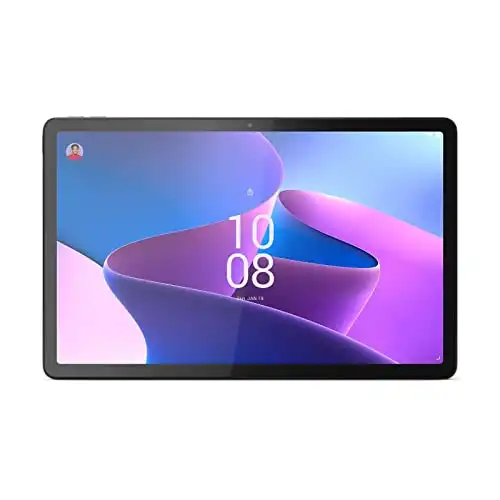
The Lenovo Tab P11 Pro Gen 2 gets fantastic results in my review. It offers a great 10.2-inch OLED screen, powerful hardware, lots of storage, as well as a solid pen and good keyboard cover. I also like its long battery life, its loud speakers, and the productivity mode with external screen support. However, while it's supposed to get two major updates, it probably won't be updated as long as the flagships from Samsung and Apple.
The performance of the Tab P11 Pro Gen 2 is also impressive. The MediaTek Kompanio 1300T octa-core processor provides enough computing power for smooth gaming and demanding applications. Games like Apex Legends run without judder even when the graphics setting is set to “Extreme HD”. Furthermore, the tablet offers 6GB of RAM and 256GB of hard drive space.
You can use the Lenovo Precision Pen 3 with the Lenovo Tab P11 Pro Gen 2. You can either buy the pen separately for $60 or get it bundled with the tablet. The pen has 4000 pressure levels and a hard tip like the Apple Pencil. Additionally, it has a side button and can be charged via induction on the back of the tablet. If you need it, there is also a high-quality keyboard cover available as an option.
In our battery test, the tablet lasted for an impressive 10.5 hours while continuously playing an HD YouTube video at full brightness. Overall, the Tab P11 Pro Gen 2 is a great value with its impressive OLED display, reliable hardware, and reasonable price.

Leave a Reply
The Best Amazon Fire Tablets Compared | 2024 Edition
If you're in the market for the best Fire tablet, we've got your back! Here's a comprehensive comparison of all...
Top 7 Best Tablets Under $500 | 2024 Edition
Looking for the best tablet under $500? We test almost every tablet and here are our test winners in this...
Best Huawei Tablets: Why I Think You Shouldn’t Get One In 2024
Considering the US embargo that led to the lack of Google support, is it a wise decision to purchase a...
11 Best Tablets With 5G, 4G LTE & SIM Card Slot in 2024
Which are the best tablets with 5G, 4G LTE and SIM card slot? I'm reviewing almost every tablet and here...
11 Best Gaming Tablets for Playing Games Reviewed | 2024 Edition
Which are the best gaming tablets for gamers? We test every new device and try out many games. Here are...
-
 The Best6 months ago
9 Best Tablets With Stylus Pen For Drawing & Writing | 2024 Edition
-
 The Best5 months ago
Top 10 Best Tablets with a Keyboard | 2024 Edition
-
 The Best4 months ago
Top 15 Best Android Tablets Based On Real Reviews | 2024 Edition
-
The Best4 months ago
11 Best Tablets With 5G, 4G LTE & SIM Card Slot in 2024
-
 The Best4 months ago
6 Best 8-Inch Mini Tablets Review & Comparison | 2024 Edition
-
 The Best5 months ago
Top 3 Best Windows Tablets You Can Buy Today | 2024 Edition
-
 The Best6 months ago
The 8 Best Samsung Tablets: Our Big 2024 Comparison
-
 The Best6 months ago
Top 7 Best Large Screen Tablets Tested | 2024 Edition
pat
May 18, 2023 at 11:44 am
and once AGAIN no mention at all about PWM.
Pulse Width Modulation is used to adjust the brightness on the screens.
They can cause headaches, eyestrain and even epilepsy because of the flickering of the screen.
What i do not understand is why you keep ignoring this in your reviews despite i have mentiononed this so many times , here on your website and on youtube.
Never any reaction.
Do you not care you are recommending very expensive tablet which may cause healt issues?
At least warn/inform people about it!
Pingback: Las mejores tablets con pantallas OLED - Matutinodigital.com
pat
August 5, 2023 at 9:53 pm
almost 3 MONTHS and still no reaction from this website
Despite brnging this topic forward several times they never mention it.
Do you not care people get health issues and buy these tablets on your recommendations stating the screens are excellent but not mentionning pwm or temporal dithering?
Same on your youtube channel..shame on you!
Pingback: Apple to Overhaul iPad Pro 2024 with OLED Displays, More Power – GadgetSavvyHub.com
Pingback: How We Review Hundreds Of Tablets: Our Tests Explained • MyNextTablet
Pingback: Best Time Tracking Apps for Freelancers | 2024 Edition • MyNextTablet
Pingback: 11 Best Tablets With 5G, 4G LTE & SIM Card Slot in 2024
Pingback: Best Huawei Tablets: Why I Think You Shouldn’t Get One In 2024